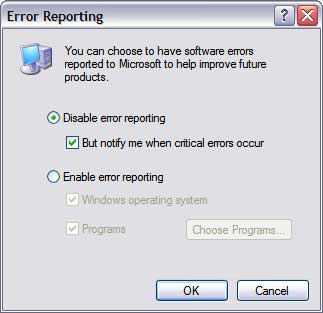
IF error reporting in XP is bugging you then turn it off. When a system error occurs in XP, a little dialog box appears asking if you want to report the error to Microsoft. Click the message box to make it disappear. You don't have to report the error if you don't want to and on today's "Call for Help" Leo shows you how to turn off the feature if you find it distracting.
TO disable error reporting, follow these directions:
Right-click My Computer and choose Properties.
Click the Advanced tab on your System Properties dialog box.
Click the Error Reporting button on the Advanced tab.
Place a checkmark next to "Disable error reporting."
Leave the other radio button unchecked next to the text labeled, "But notify me when critical errors occur."